SEO Metadata: title: Ghost Browser Pro: Features, Pricing & Multi-Account Guide 2025 description: Explore Ghost Browser Pro's multi-account management, proxy control, and productivity features. Compare plans and see how it fits your workflow. keywords: Ghost Browser Pro, multi-account browser, proxy control, session management, productivity browser, anti-detect browser, Chromium browser, workspace identities, cookie isolation, team sync
Ghost Browser Pro: Features, Pricing & Multi-Account Guide 2025
Managing multiple online accounts without constant logouts, cookie conflicts, or browser clutter is a daily challenge for digital professionals. Ghost Browser Pro addresses this by offering a Chromium-based environment where each tab or workspace can have its own isolated identity, cookies, and proxy settings. This guide breaks down what Ghost Browser Pro offers, how it compares to other multi-session tools, and whether it fits your workflow.
What Is Ghost Browser Pro?
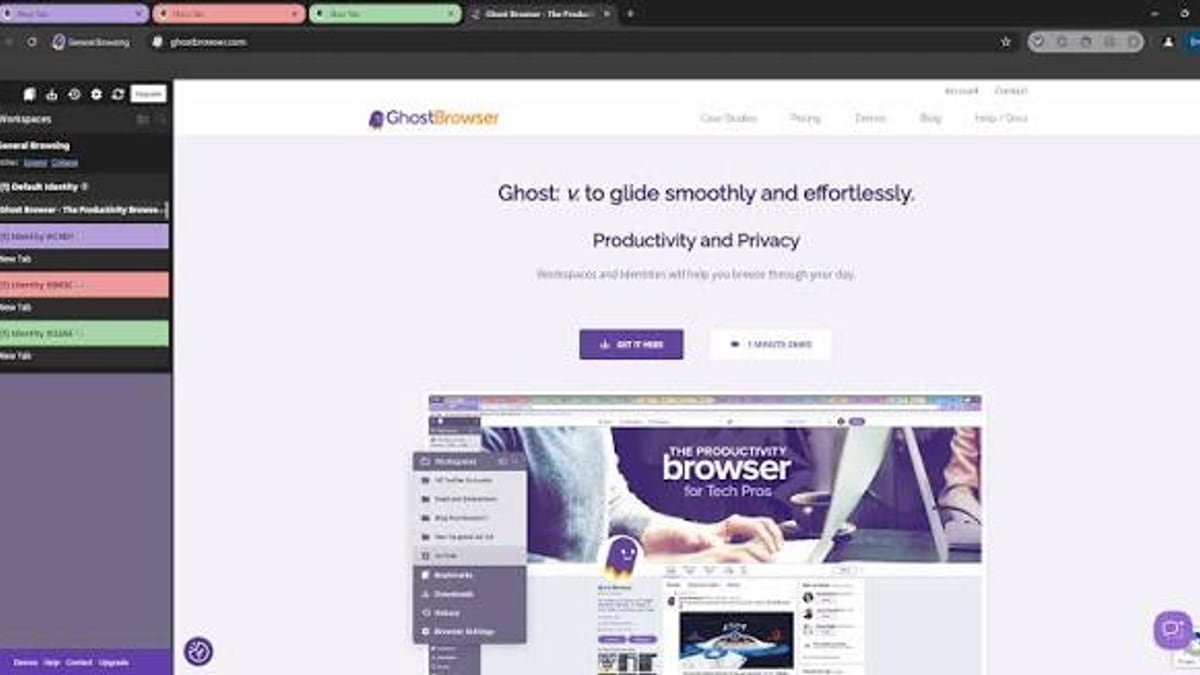
Ghost Browser Pro: Features, Pricing & Multi-Account Guide 2025 - feature overview.
Ghost Browser is a productivity-focused browser built on Chromium. Its core value is allowing you to log into multiple accounts on the same website simultaneously—each in its own isolated tab or workspace. The Pro plan adds granular proxy control, priority support, and unlimited identities.
Key Capabilities
- Identity Isolation: Each identity (permanent or temporary) has its own cookie jar, so sessions never leak between accounts.
- Workspace Organization: Group related tabs into workspaces; each workspace can have its own set of identities and proxies.
- Proxy Assignment: Assign proxies at the tab, identity, or workspace level—useful for geo-targeted testing or managing region-locked accounts.
- Chrome Extension Compatibility: Since it's Chromium-based, you can import your existing Chrome extensions in seconds.
- Team Sync: Share workspaces, identities, cookies, and proxy settings with team members via private data sync.
Ghost Browser Pro vs. Free vs. Basic Plan
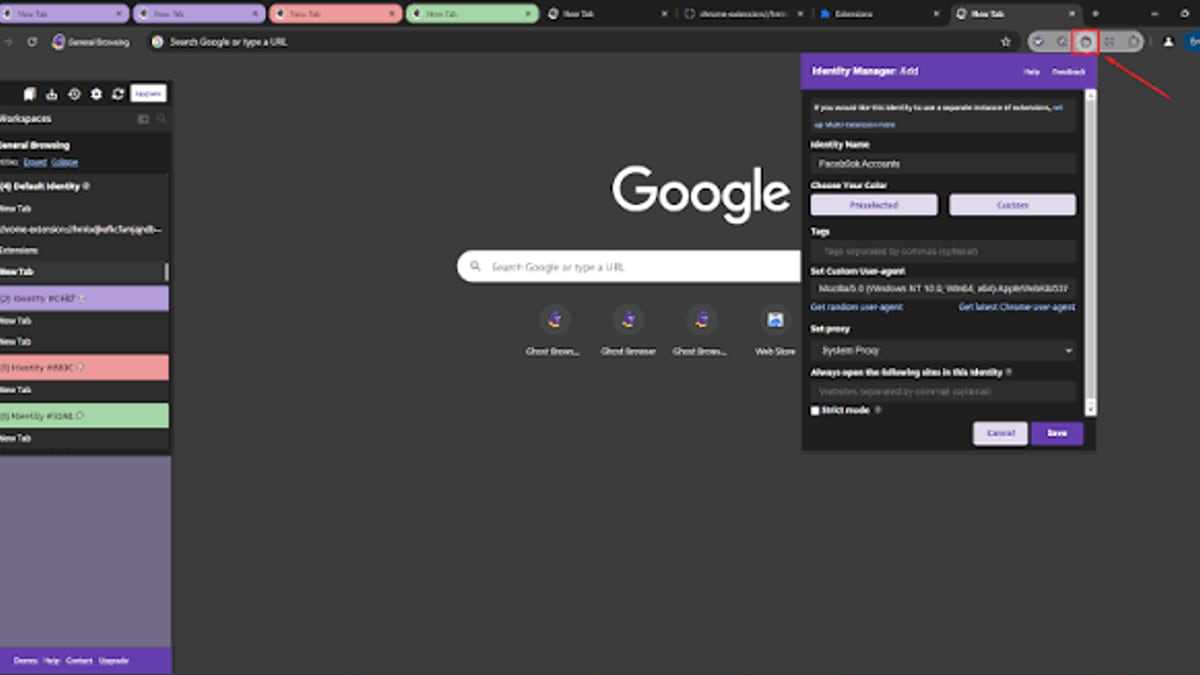
Ghost Browser Pro: Features, Pricing & Multi-Account Guide 2025 - workflow example.
| Feature | Free | Basic ($21/mo annual) | Pro ($46/mo annual) |
|---|---|---|---|
| Identities | Up to 3 | Unlimited | Unlimited |
| Workspaces | Limited | Unlimited | Unlimited |
| Proxy Control | Workspace/Identity only | Not included | Tab, Identity, Workspace |
| Priority Support | No | Email & Docs | Priority Email |
| Temporary Identities | No | Yes | Yes |
Pro is essential if you need per-tab proxy assignment or manage many accounts that require different IPs simultaneously.
Who Should Use Ghost Browser Pro?
Social Media Managers
Juggle multiple client profiles on platforms like Instagram, Facebook, or Twitter without logging in and out. Each account stays in its own identity tab.
Web Developers & QA Engineers
Test user flows across different roles (admin, editor, subscriber) in one window. Assign proxies to simulate different geographic locations.
E-commerce Sellers
Manage multiple storefronts or seller accounts on marketplaces like Amazon or eBay without cross-contamination of cookies or sessions.
Digital Marketers & Ad Ops
Run multiple ad accounts, monitor competitor ads, or manage affiliate links from a single browser window with isolated sessions.
How Ghost Browser Pro Compares to Anti-Detect Browsers
Ghost Browser is primarily a productivity tool, not a full anti-detect browser. It does not spoof browser fingerprints (canvas, WebGL, fonts, etc.) like dedicated anti-detect tools such as Kameleo or GenLogin.
- Use Ghost Browser Pro when you need organized multi-account access with proxy control, but fingerprint spoofing isn't required.
- Use an anti-detect browser when platforms actively detect browser fingerprints and you need to appear as separate devices.
For teams that need both productivity and anti-detect features, a hybrid approach—using Ghost Browser for daily management and a dedicated anti-detect tool for sensitive accounts—can work well.
Practical Example: Setting Up a Multi-Account Workflow
- Install Ghost Browser and import your Chrome extensions.
- Create a Workspace named "Client A Social Accounts."
- Add Identities for each account (e.g., Facebook, Instagram, Twitter).
- Assign Proxies per identity if accounts require different IPs.
- Open tabs for each identity—all logged in simultaneously.
- Sync with team via private data sync so colleagues see the same setup.
Related reading
- GenLogin Anti-Detect Browser Review 2025: Features & Pricing - Explore GenLogin anti-detect browser for multi-account management, automation, and fingerprint spoofing. Review features, pricing, and real-world use cases.
- Stealthfox Browser: Evolution, Features & Modern Alternatives - Explore Stealthfox browser's history, key features, limitations, and how it evolved into modern anti-detect browsers like Mimic and Multilogin.
- Antik Browser Review 2025: Features, Pricing & Multi-Account Use - Detailed Antik Browser review: anti-detect fingerprinting, team plans, pricing, and real-world use cases for multi-account management in 2025.
Sources and further reading
- www.youtube.com - Enjoy the videos and music you love, upload original content, and share it all with friends, family, and the world on YouTube.
Frequently Asked Questions
Q: Does Ghost Browser Pro work on macOS and Linux? Yes, it supports Windows, macOS, and Linux.
Q: Can I use Ghost Browser Pro for web scraping? Yes, but it lacks fingerprint spoofing. For scraping sites with strong anti-bot measures, consider an anti-detect browser like ClonBrowser Pro.
Q: Is my browsing data tracked? Ghost Browser states they do not track or sell your browsing data.
Q: How many identities can I create with Pro? Unlimited permanent and temporary identities.
Q: Can I assign a different proxy to each tab? Yes, that's a Pro-only feature.
Conclusion
Ghost Browser Pro is a solid choice for professionals who need to manage multiple accounts efficiently without leaving the Chromium ecosystem. Its strength lies in session isolation, workspace organization, and flexible proxy assignment. However, if your work requires evading fingerprint-based detection, you'll need to pair it with a dedicated anti-detect browser.
For most social media managers, web developers, and marketers, Ghost Browser Pro simplifies daily multi-account tasks and boosts productivity. Evaluate your need for fingerprint spoofing before committing—if it's not critical, Ghost Browser Pro offers a clean, fast, and organized solution.
Ready to streamline your multi-account workflow? Start with the free version to test identity isolation, then upgrade to Pro if per-tab proxy control becomes necessary.
External References:
- Ghost Browser Official Site: https://ghostbrowser.com/
- Ghost Browser Pricing: https://ghostbrowser.com/upgrade/
- Ghost Browser Demo Video: https://www.youtube.com/watch?v=cPHm3ktTf5w